
Open the team route map
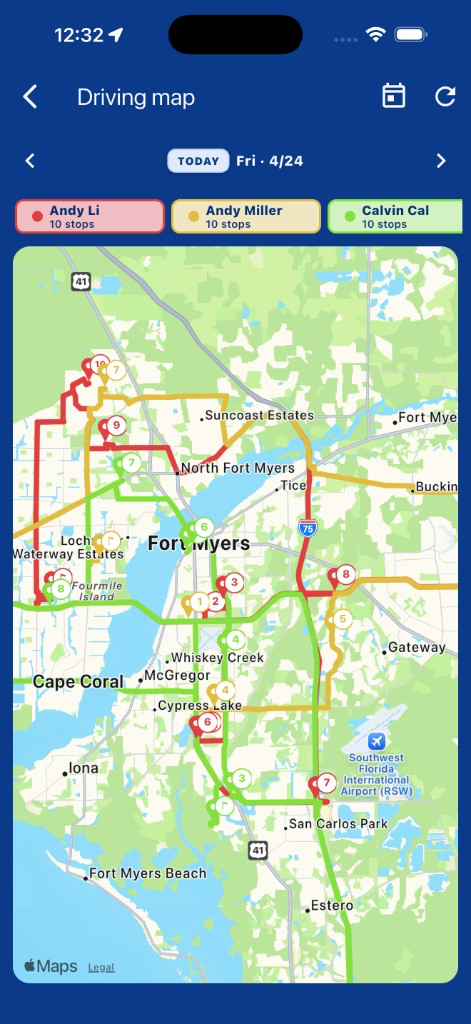
From Today's route, tap the Driving map icon in the app bar. (Admins can also open it from the planner.) Each technician's planned route renders in a distinct color so the team layout is easy to read at a glance.
Navigate days
Use the previous/next-day controls to scrub through the week and Jump to today to come back. Reload refreshes after dispatch changes plans.
Filter techs and tap stops
The legend at the bottom doubles as a filter — tap a technician's chip to show or hide their path. Tap any stop marker to open the Address detail for that location.